{[[' ']]}
']]}
']]} ']]}
']]}<html>
<head>
<meta http-equiv="Content-Type" content="text/html; charset=utf-8" />
<title>Time</title>
</head>
<body>
<script>
var hours=Digital.getHours()
var minutes=Digital.getMinutes()
var seconds=Digital.getSeconds()
var dn="AM"
if (hours>12){
dn="PM"
hours=hours-12
}
if (hours==0)
hours=12
if (minutes<=9)
minutes="0"+minutes
if (seconds<=9)
seconds="0"+seconds
var ctime="<b><font face='Verdana' color='#8000FF'>"+hours+":"+minutes+":"+seconds+" "+dn+"</font></b>"
document.write(ctime);
//-->
</script>
</body>
</html>
Download Source Code -> Live text Clock JavaScript
Download Example Code -> Data and Clock on Status bar
Download -> I have been alive for...
Free Download : Game -> Ouths and Crosses
']]}
function notEmpty()
{
var myTextField = document.getElementById('myText');
if(myTextField.value != "")
alert("You entered: " + myTextField.value)
else
alert("Would you please enter some text?")
}
</script>

<input type='text' id='myText' />
<input type='button' onclick='notEmpty()' value='Form Checker' />
']]}To create a function, type the function keyword followed by a name for the function, followed by an opening, then a closing, parentheses, followed by an opening curly bracket “{“ and ending with a closing curly bracket “}”. Here is the syntax for creating a function:
function name(){}

Read more...
']]}The for loop is used when you know in advance how many times the script should run.
for (variable=startvalue;variable<=endvalue;variable=variable+increment)
code to be executed
}Ex1:
<html>
var i=0;
for (i=0;i<=5;i++){
document.write("The number is " + i);document.write("<br />");
}</script>
</body></html>
Ex2:<script type="text/javascript">
<!--
var count;
document.write("Starting Loop" + "<br />");
for(count = 0; count < 10; count++){
document.write("Current Count : " + count );
document.write("<br />");
}
document.write("Loop stopped!");
//-->
</script>
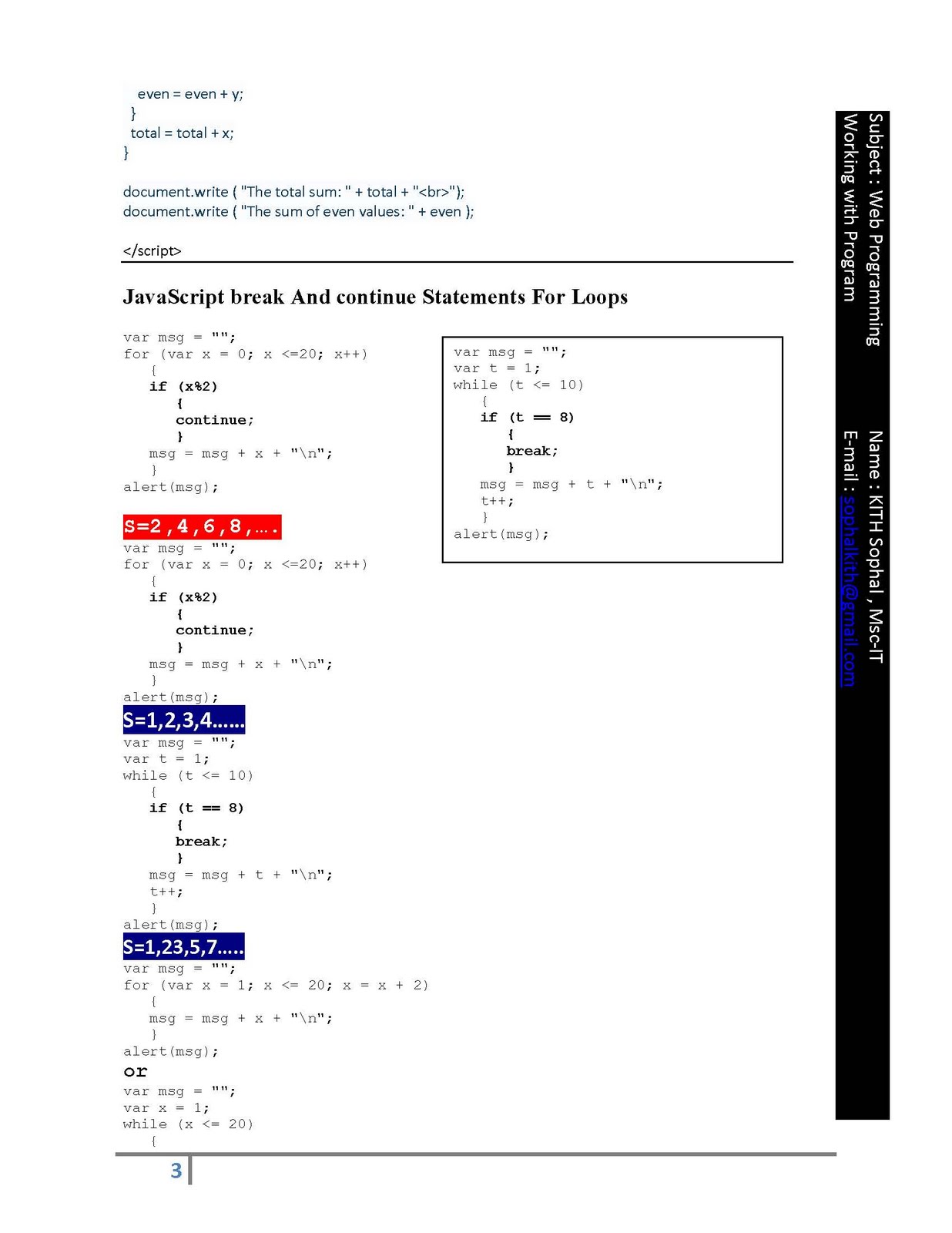
For example, continue can be employed to display only the even numbers
between 1 to 20, skipping the odd numbers.
<script>
var msg = "";
for (var x = 0; x <=20; x++)
{
if (x%2)
{
continue;
}
msg = msg + x + "\n";
}
alert(msg);
</script>
0 2 4 6 8 10 12 14 16 18 20
<script>
var msg = "";
for (var x = 0; x <=20; x++)
{
if (x%2)
msg = msg + x + "\n";
}
alert(msg);
</script>
Output:
1 3 5 7 9 11 13 15 17 19
Similarly, break is employed to stop loop iterations completely.
Ex:
<script>
var msg = "";
var t = 1;
while (t <= 10)
{
if (t == 8)
{
break;
}
msg = msg + t + "\n";
t++;
}
alert(msg);
</script>
Output:
1 2 3 4 5 6 7
Assignment
1- In the code below, which numbers are displayed in the alert box?
var msg = "";
for (var x = 0; x < 10; x++)
{
if (x == 5 || x == 7)
{
continue;
}
msg = msg + x + "\n";
}
alert(msg);
</script>
2- How can you display the odd numbers between 1 to 20 WITHOUT
the use of continue?
Possible Answers
0, 1, 2, 3, 4, 6, 8 and 9.
for (var x = 1; x <= 20; x = x + 2)
{
msg = msg + x + "\n";
}
alert(msg);
var msg = "";
var x = 1;
while (x <= 20)
{
msg = msg + x + "\n";
x = x + 2;
}
alert(msg);
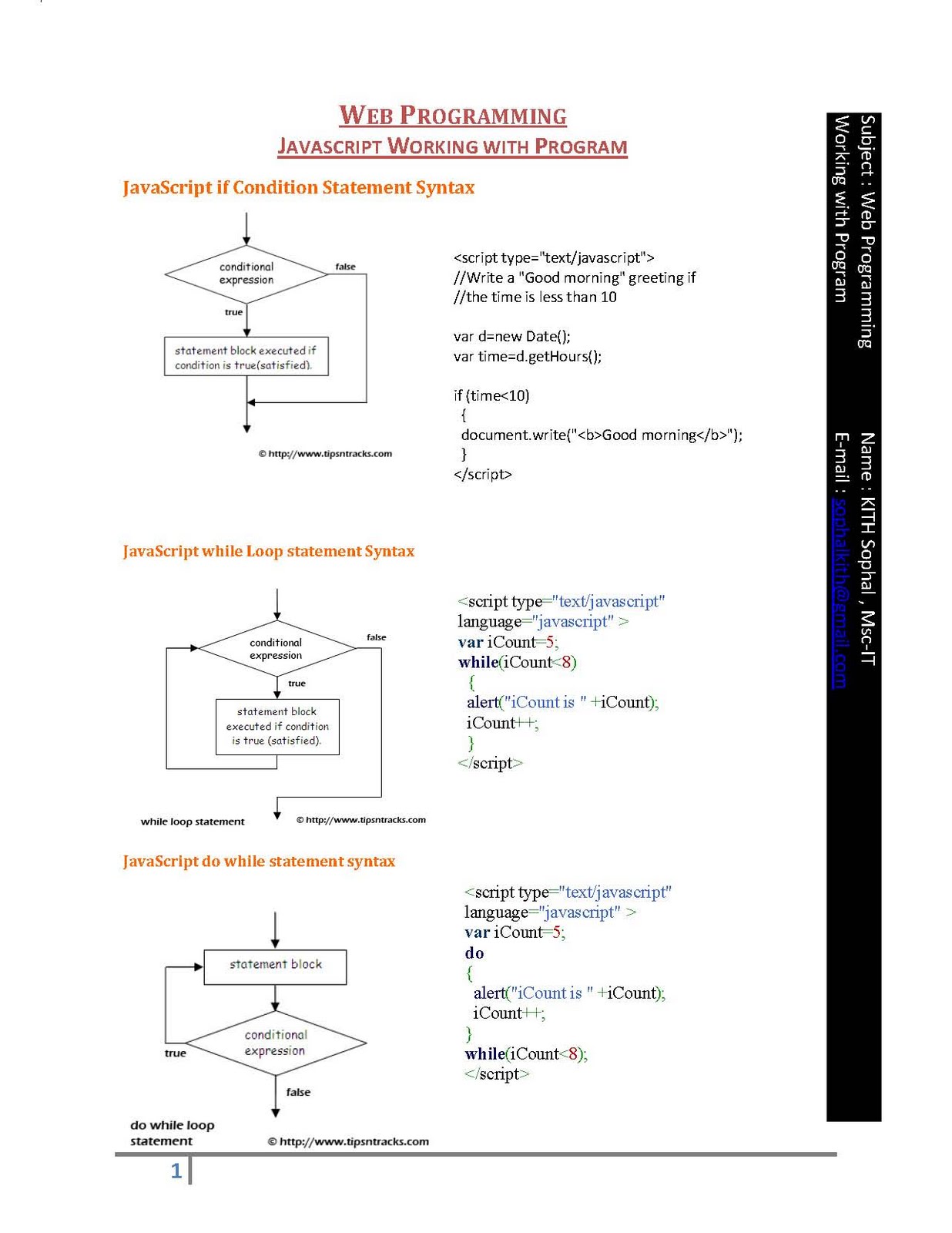
']]}The JavaScript while loop is much simpler than the for loop. It consists of a condition and the statement block.
Syntax:
while (condition)
{
...statements...
}
Ex1:
<script>
var msg = "";
var x = 1;
while (x <= 10)
{
msg = msg + x + "\n";
x++;
}
alert(msg);</script>
Ex2:
<script>
var msg = "";
var x = 1;
var res = 0;
while (x <= 10)
{
res = 12 * x;
msg = msg + "12 X " + x + " = " + res + "\n";
x++;
}
alert(msg)
</script>
Output: n/a
']]}You can consider the do-while loop as a modified version of the while loop. Here, the condition is placed at the end of the loop and hence, the loop is executed at least once.
Ex3:
<script>
var x = 20;
do
{
alert("The number is " + x);
x++;
}
while (x <= 10);
</script>
Ex4:
<script>
var x = 20;
do
{
alert("The number is " + x);
x++;
}
while (x <= 30);
</script>
Assignment
Ex5:
<script>
var num=0;
while (num <= 30)
{
document.write(num+"<br>");
num = num + 3;
}
</script>
1- If the value of variable num is 20, how many times will the following while loop be execute
Ex6:
2- How many times is the while loop executed in the following code?
<script>
var b = 45;
var a = 14;
while (a <= 20)
{
document.write("All is well with me");
b = b + 5;
}
document.write("Once time");
</script>
3- If the condition evaluates to 'false', how many times is the do-while loop executed and why?
Possible Answers
Four times
Infinite times since there is no update statement for variable a inside the while loop.
Once, because the condition is present at the end of the loop.
']]}
default:document.write("Day Off");break;
}
</script>
']]}']]}<script type="text/javascript">
var total = 0;var even = 0;
for ( x = 1, y = 1; x <= 100; x++, y++ ) {if ( ( y % 2 ) == 0 ) {
even = even + y;
}
total = total + x;
}
document.write ( "The sum of even values: " + even );
</script></head>
<body>']]}
var fr = document.operator;
fr.txtr.value=parseInt(fr.txt1.value)+parseInt(fr.txt2.value);
}
</script>
<form name="operator">
<fieldset class="cut">
Operand 1:<br />
<input type="text" name="txt1" size="30" /><br />
Operand 2:<br />
<input type="text" name="txt2" size="30" /> <br />
Result :<br />
<input type="text" name="txtr" size="30" />
<input type="hidden" name="txth" size="30" />
</fieldset>
<fieldset class="cut">
<input type="button" name="btns" value=" + " onclick="operand()" />
<br />
</fieldset>
</form>
</body>
']]} ']]}
']]}